# Cloud Accounts
#### What is the Cloud Accounts functionality:
\
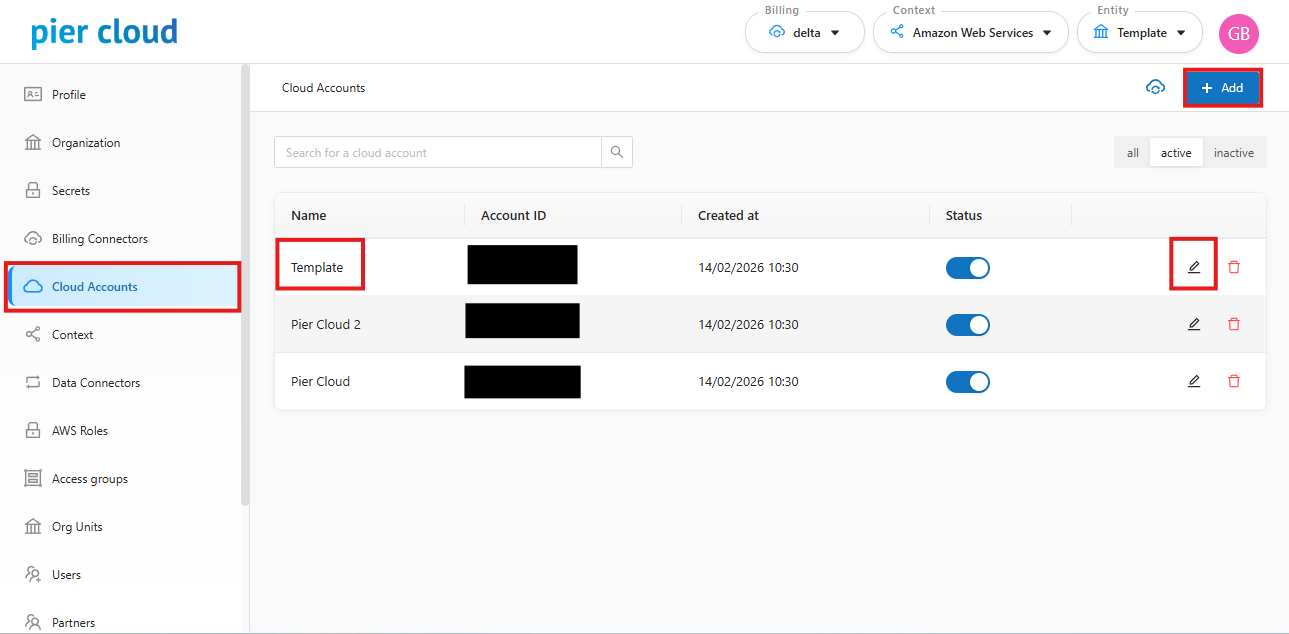
It is the feature that allows you to view and manage all cloud accounts (AWS Account IDs, Azure Subscriptions, GCP Projects, OCI Tenancies) that were imported into the platform through Data Connectors (Billing).
On this screen, you can identify which accounts are linked to the Organization and assign friendly names (Aliases) to make identification easier in reports and dashboards.
#### How to use the Cloud Accounts functionality:
1. In the Settings side menu, select the Cloud Accounts option.
2. On the main screen, the system will present a list containing:
* **Account ID**: The technical identifier of the cloud account.
* **Account Name**: The original account name configured at the provider.
#### Add/Adjust Cloud Account Manually:
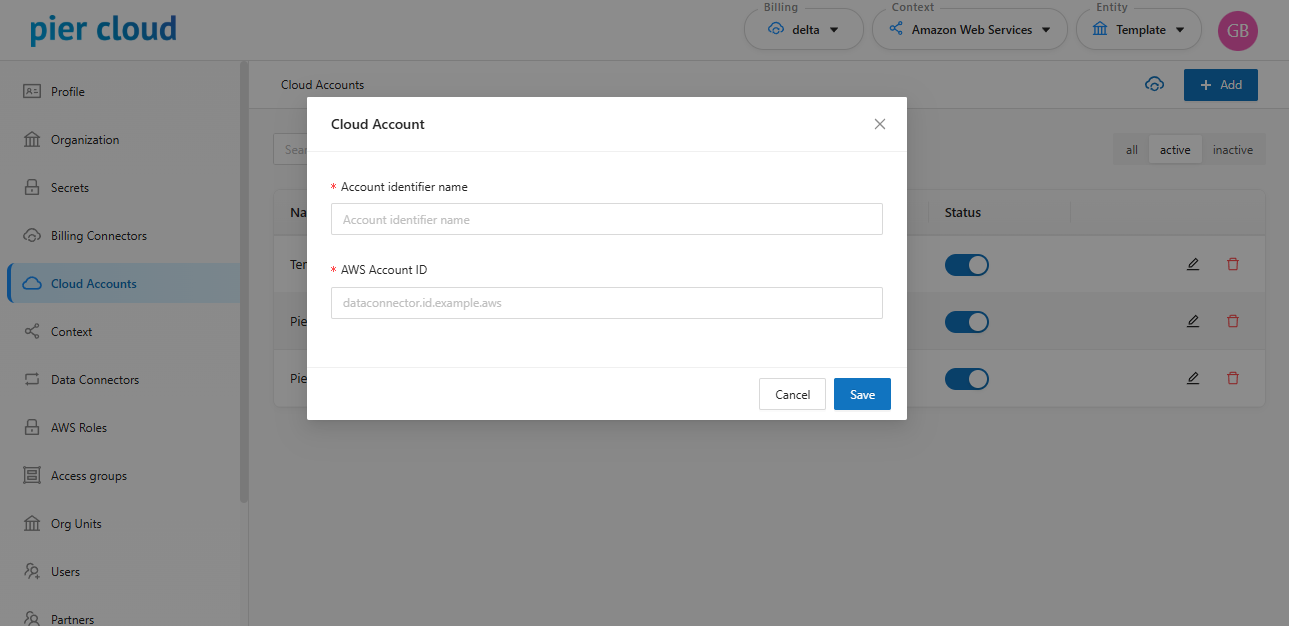
To register a new cloud account manually, click the "**Add Cloud Account**" button.
The registration screen will appear, where you must provide:
* **Name**: The identification name of the account (Alias).
* **Account ID:** The unique identifier of the account at the provider (e.g., AWS Account ID, Subscription ID).
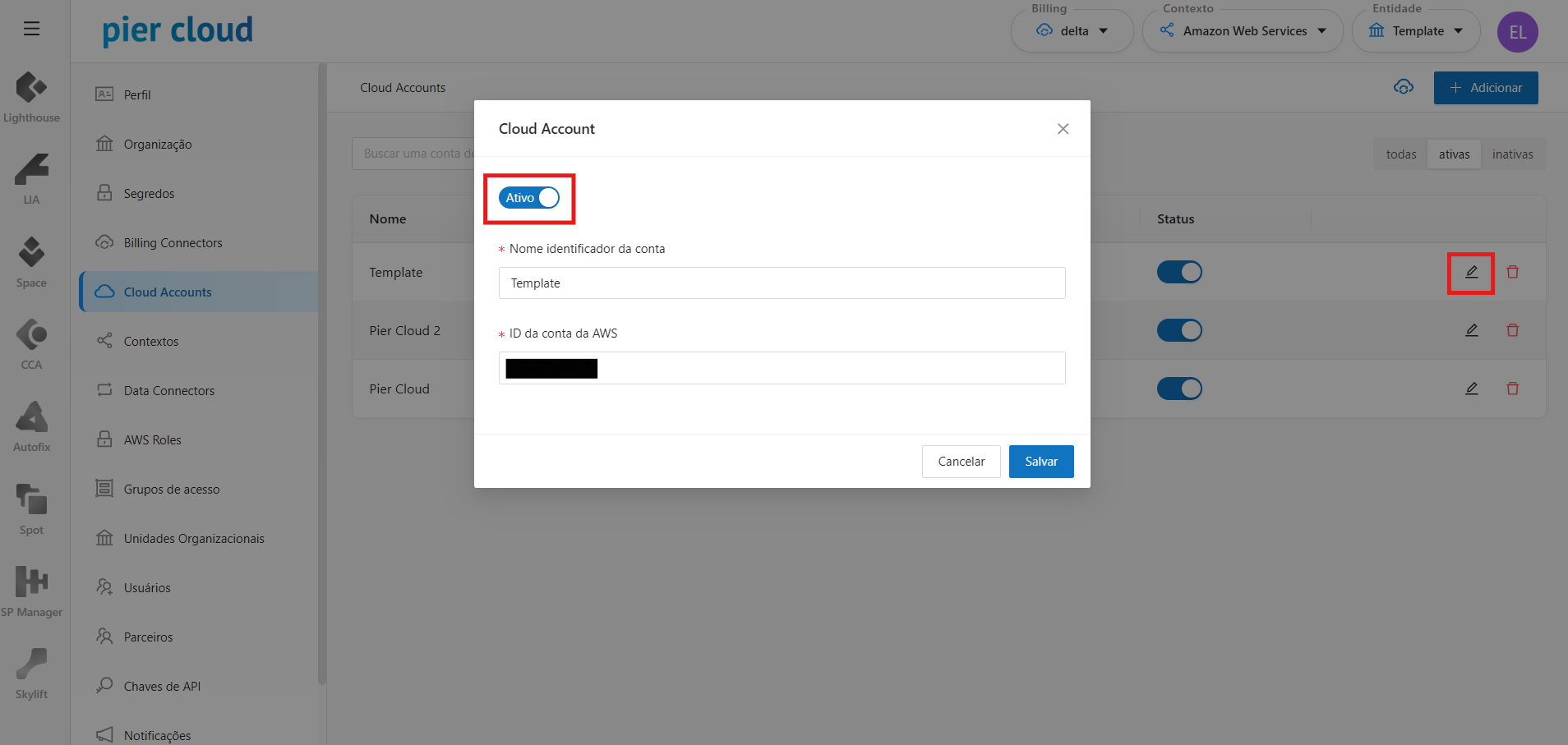
Additionally, it is possible to edit a cloud account and verify its status, whether active or inactive.