# Schedules - AWS

When selecting the **Scheduling** functionality, the system will display the main screen with all the scheduling options available in Start-Stop.

<figure><img src="https://1687673077-files.gitbook.io/~/files/v0/b/gitbook-x-prod.appspot.com/o/spaces%2FZ9sinLUl52lDK1vg6b8g%2Fuploads%2FGvBxW00o2bcc446cwvVv%2Fimage.png?alt=media&#x26;token=e207caeb-d7dd-413b-92c8-81864995a3c5" alt=""><figcaption></figcaption></figure>

1. **Filters**&#x20;

* Search: The system allows to filter by a keyword in the **Search** field

<figure><img src="https://1687673077-files.gitbook.io/~/files/v0/b/gitbook-x-prod.appspot.com/o/spaces%2FZ9sinLUl52lDK1vg6b8g%2Fuploads%2F4CCg9bAHnJPUFxZFIeDW%2Fimage.png?alt=media&#x26;token=97abb99e-d417-4e52-8fdc-47712c2a2bb4" alt=""><figcaption></figcaption></figure>

* **Region**: The system allows to filter by region, selecting the desired region.

<figure><img src="https://1687673077-files.gitbook.io/~/files/v0/b/gitbook-x-prod.appspot.com/o/spaces%2FZ9sinLUl52lDK1vg6b8g%2Fuploads%2FYgaQmyAFuJohvRUiC7bZ%2Fimage.png?alt=media&#x26;token=dfd08227-f80e-41bc-8fb1-b8568dba3d89" alt=""><figcaption></figcaption></figure>

* **Resource**: It is possible to filter by resource by selecting the desired resource.

<figure><img src="https://1687673077-files.gitbook.io/~/files/v0/b/gitbook-x-prod.appspot.com/o/spaces%2FZ9sinLUl52lDK1vg6b8g%2Fuploads%2Fmn9ZZ0ZcstG0SYZ6pOfD%2Fimage.png?alt=media&#x26;token=7f5baca2-fce1-4d50-b965-2c57a380492b" alt=""><figcaption></figcaption></figure>

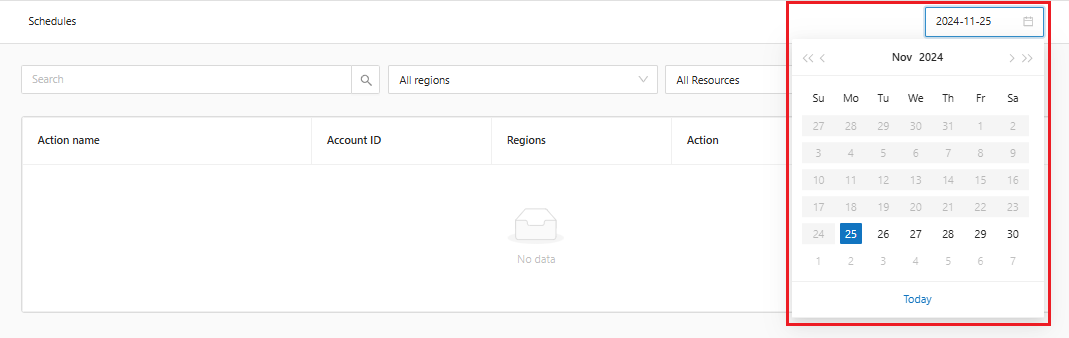
* **Date:** It is possible to filter by a specific day in the calendar option.

<figure><img src="https://1687673077-files.gitbook.io/~/files/v0/b/gitbook-x-prod.appspot.com/o/spaces%2FZ9sinLUl52lDK1vg6b8g%2Fuploads%2FVLQ4hk0ce2hoPvHQGyeY%2Fimage.png?alt=media&#x26;token=1886ed63-9df8-4427-87d9-a456e0cae4de" alt=""><figcaption></figcaption></figure>

2. **Edit**&#x20;

When you click the button "![](https://1687673077-files.gitbook.io/~/files/v0/b/gitbook-x-prod.appspot.com/o/spaces%2FZ9sinLUl52lDK1vg6b8g%2Fuploads%2F8A82jR5hfxRwgkX8gdLT%2Fimage.png?alt=media\&token=33bbb4c4-2786-4613-a11d-aecc5ceda379)", the system allows to overwrite the action execution time.

<figure><img src="https://1687673077-files.gitbook.io/~/files/v0/b/gitbook-x-prod.appspot.com/o/spaces%2FZ9sinLUl52lDK1vg6b8g%2Fuploads%2FUBSsF02Z43V9isAwy7cR%2Fimage.png?alt=media&#x26;token=6d323b0c-2ea2-40c9-b8cb-85f942bbbcfd" alt=""><figcaption></figcaption></figure>