# Logs

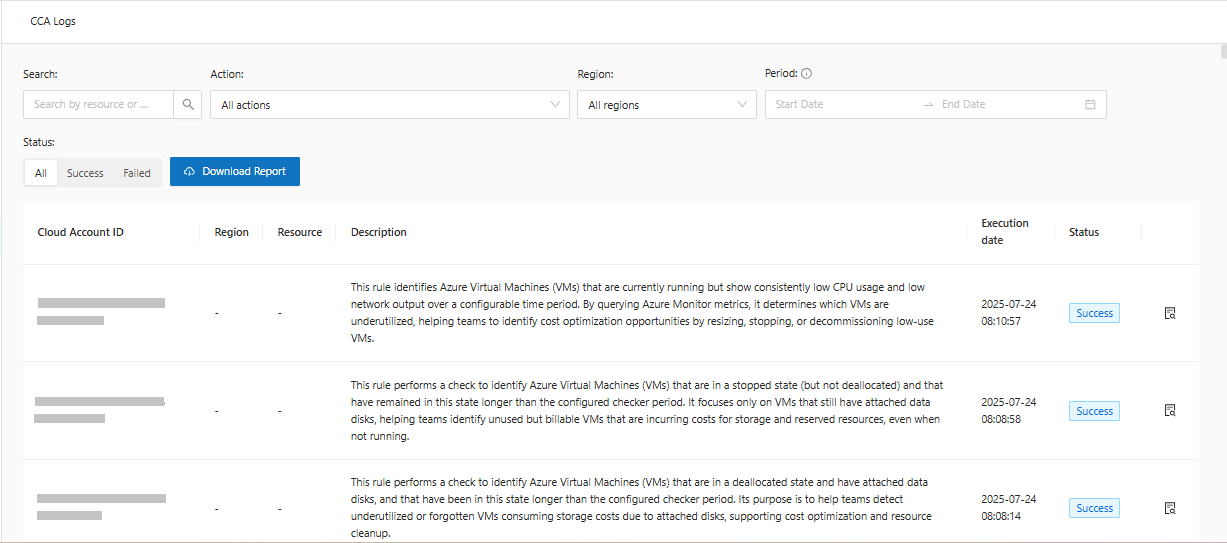
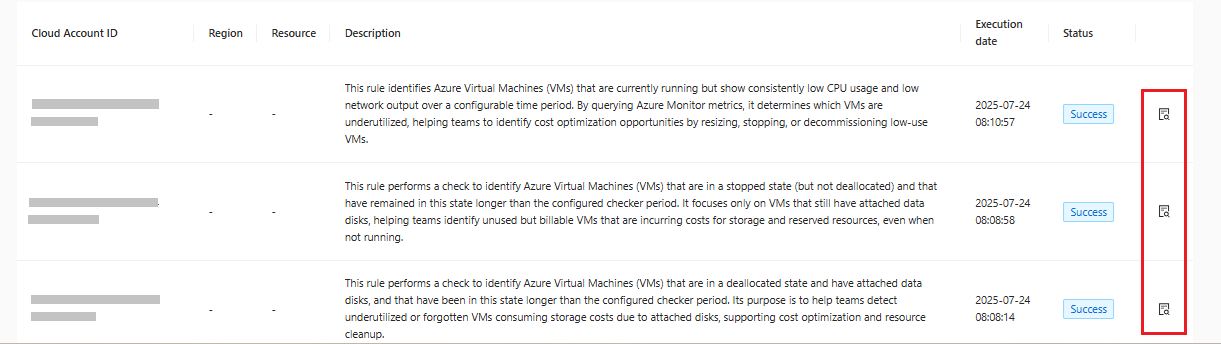
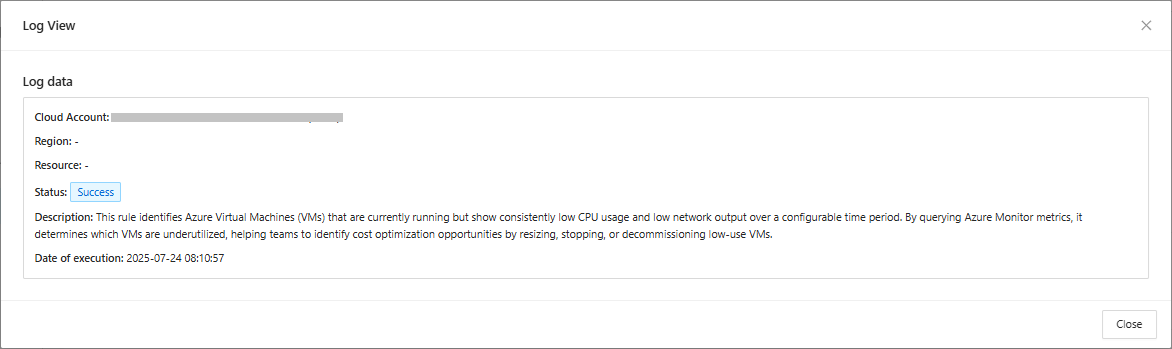
Logs is a CCA feature that allows you to have a complete history of the actions performed within the selected period. In this history, you can view the **Account ID**, **Region**, **Resource**, **Description**, **Execution Date**, **Status** and an even more detailed view of the log.

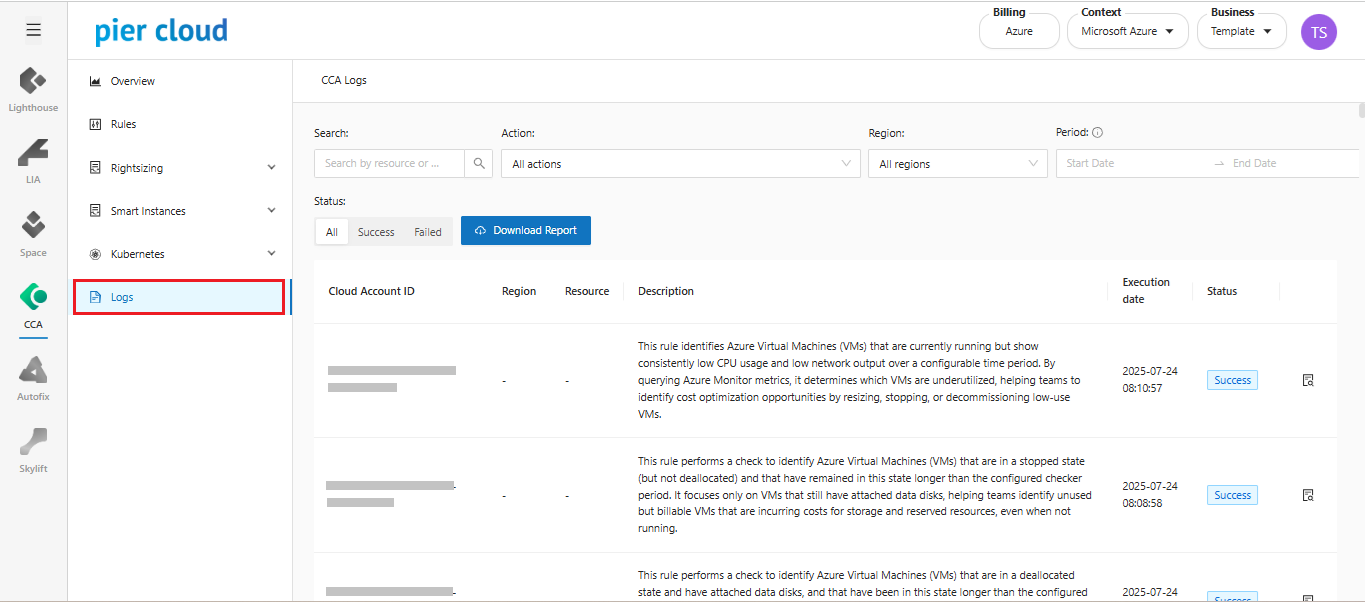
**Accessing Logs**:&#x20;

1. In the CCA side menu, select Logs:

<figure><img src="https://1687673077-files.gitbook.io/~/files/v0/b/gitbook-x-prod.appspot.com/o/spaces%2FZ9sinLUl52lDK1vg6b8g%2Fuploads%2FQRbYekmJLEUppbf56z24%2Fimage.png?alt=media&#x26;token=fa87a3bb-904a-4608-938b-a845bb7cdf66" alt=""><figcaption></figcaption></figure>

1. &#x20;Important options in Logs:

<figure><img src="https://1687673077-files.gitbook.io/~/files/v0/b/gitbook-x-prod.appspot.com/o/spaces%2FZ9sinLUl52lDK1vg6b8g%2Fuploads%2FnEwceDb9OtQFzKU1P44o%2Fimage.png?alt=media&#x26;token=10f78d2a-6458-4919-b32a-d44aa4bd8edf" alt=""><figcaption></figcaption></figure>

3. Search for the **account\_ID** you want to see the actions for:

<figure><img src="https://1687673077-files.gitbook.io/~/files/v0/b/gitbook-x-prod.appspot.com/o/spaces%2FZ9sinLUl52lDK1vg6b8g%2Fuploads%2F3kLnTqllZQtjvHrGzxVi%2Fimage.png?alt=media&#x26;token=311628cd-3f9a-4ca0-b258-827eea67d2ed" alt=""><figcaption></figcaption></figure>

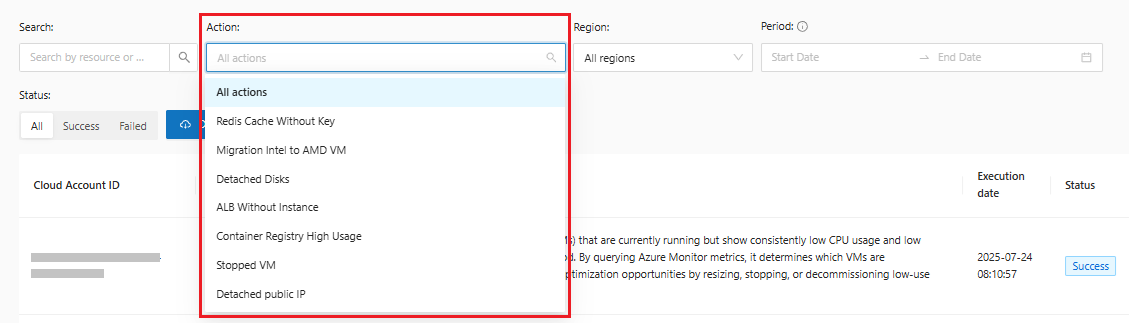
4. Filter the **actions** you want to see:

<figure><img src="https://1687673077-files.gitbook.io/~/files/v0/b/gitbook-x-prod.appspot.com/o/spaces%2FZ9sinLUl52lDK1vg6b8g%2Fuploads%2FS8Ovcs7FDDtyVB62EtNa%2Fimage.png?alt=media&#x26;token=65ffe480-1659-4cc6-ab90-2b79eda3b0c3" alt=""><figcaption></figcaption></figure>

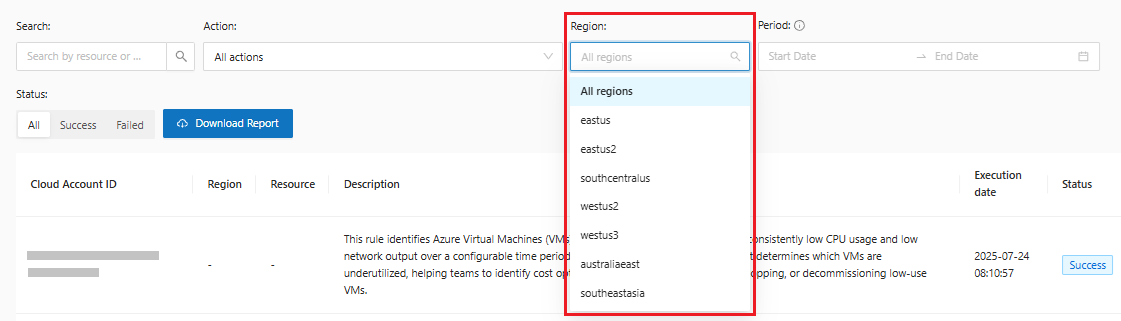
5. Select the **region** you want:

<figure><img src="https://1687673077-files.gitbook.io/~/files/v0/b/gitbook-x-prod.appspot.com/o/spaces%2FZ9sinLUl52lDK1vg6b8g%2Fuploads%2FS2Dfow18FQg8AMX2yatR%2Fimage.png?alt=media&#x26;token=dbca9920-ec65-4422-9be7-d15c07988871" alt=""><figcaption></figcaption></figure>

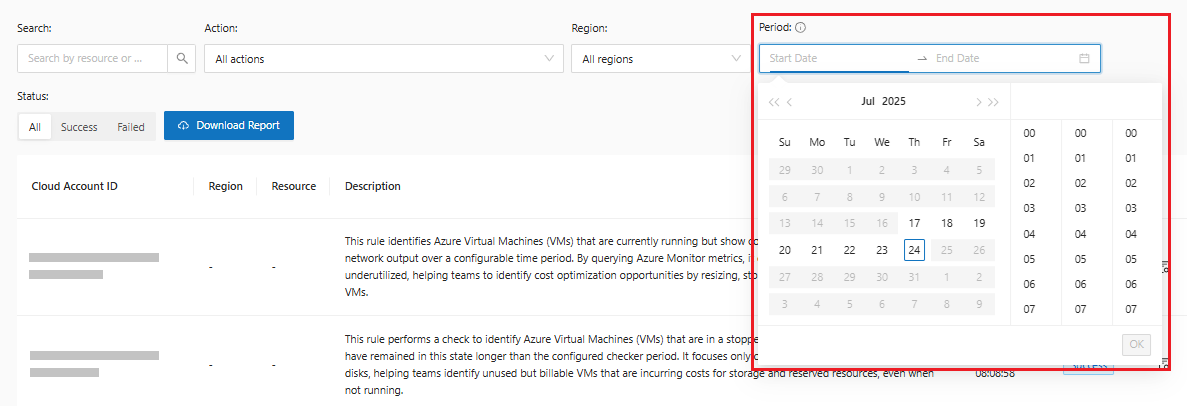
6. &#x20;Filter by a specific **period**, limited to 7 days:

<figure><img src="https://1687673077-files.gitbook.io/~/files/v0/b/gitbook-x-prod.appspot.com/o/spaces%2FZ9sinLUl52lDK1vg6b8g%2Fuploads%2FK1GLtSrTG8whyZ4F26Xf%2Fimage.png?alt=media&#x26;token=5f4855b7-3ee9-4e1e-a8e1-9224789a29ae" alt=""><figcaption></figcaption></figure>

{% hint style="warning" %}
Logs are available for 7 days.
{% endhint %}

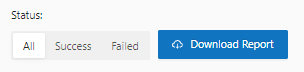
7. Select the action **status** and **Download** the logs:

<figure><img src="https://1687673077-files.gitbook.io/~/files/v0/b/gitbook-x-prod.appspot.com/o/spaces%2FZ9sinLUl52lDK1vg6b8g%2Fuploads%2FDw2E6RddrCmHpynd3YPH%2Fimage.png?alt=media&#x26;token=4c5fd4ff-f541-40af-b6ca-663b1924da43" alt=""><figcaption></figcaption></figure>

8. Get a **detailed view** of the chosen log by clicking the "![](https://1687673077-files.gitbook.io/~/files/v0/b/gitbook-x-prod.appspot.com/o/spaces%2FZ9sinLUl52lDK1vg6b8g%2Fuploads%2FRnDkmWzQhTLYZOStJWNp%2Fimage.png?alt=media\&token=c455b8f1-c1b7-4fd7-9d2b-f8bee462e4e7)" button:

<figure><img src="https://1687673077-files.gitbook.io/~/files/v0/b/gitbook-x-prod.appspot.com/o/spaces%2FZ9sinLUl52lDK1vg6b8g%2Fuploads%2FEoAYvaoiLAmdXTgy1rnw%2Fimage.png?alt=media&#x26;token=87077b53-830c-492e-972a-724f5746da27" alt=""><figcaption></figcaption></figure>

<figure><img src="https://1687673077-files.gitbook.io/~/files/v0/b/gitbook-x-prod.appspot.com/o/spaces%2FZ9sinLUl52lDK1vg6b8g%2Fuploads%2FrSHgpkZVxXkVbHwJO5rE%2Fimage.png?alt=media&#x26;token=fce8f06e-406a-4104-b6d7-7cfacf04f2c8" alt=""><figcaption></figcaption></figure>