# CCA (GCP)

The Cloud Compliance Analyzer (CCA) provides different views depending on the Cloud provider. For GCP, we have approximately 6 "checkers" that are items that contribute to cost optimization or resource compliance.

**How to get to CCA:**

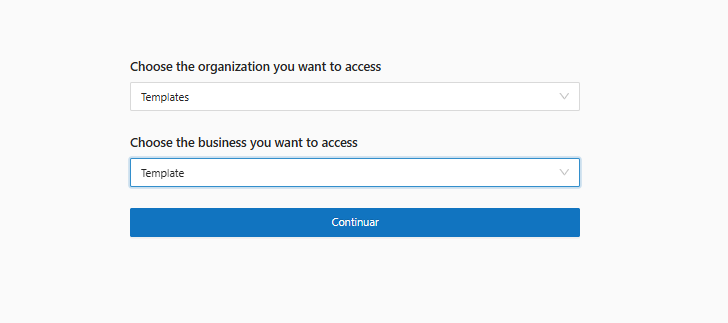
1. Select the Organization:

<figure><img src="https://1687673077-files.gitbook.io/~/files/v0/b/gitbook-x-prod.appspot.com/o/spaces%2FZ9sinLUl52lDK1vg6b8g%2Fuploads%2F96cCL7DG4vUwwucLpPT8%2Fimage.png?alt=media&#x26;token=49ce34a0-f10c-42f0-a81e-592b705d4b74" alt=""><figcaption></figcaption></figure>

2. In the upper right corner select the provider (context) and billing;

<figure><img src="https://1687673077-files.gitbook.io/~/files/v0/b/gitbook-x-prod.appspot.com/o/spaces%2FZ9sinLUl52lDK1vg6b8g%2Fuploads%2FzDmb0STvtOfPUXiafHZk%2Fimage.png?alt=media&#x26;token=4f2bb982-fcf7-43b8-92a0-053e6b974c10" alt=""><figcaption></figcaption></figure>

3. In the right corner, select the CCA functionality that will open in Overview.
<figure><img src="https://1687673077-files.gitbook.io/~/files/v0/b/gitbook-x-prod.appspot.com/o/spaces%2FZ9sinLUl52lDK1vg6b8g%2Fuploads%2Fxu7dKo2cTTYZGPfALI2c%2Fimage.png?alt=media&#x26;token=fa0a2090-1087-463c-ae67-951919a119bd" alt=""><figcaption></figcaption></figure>
