# Logs

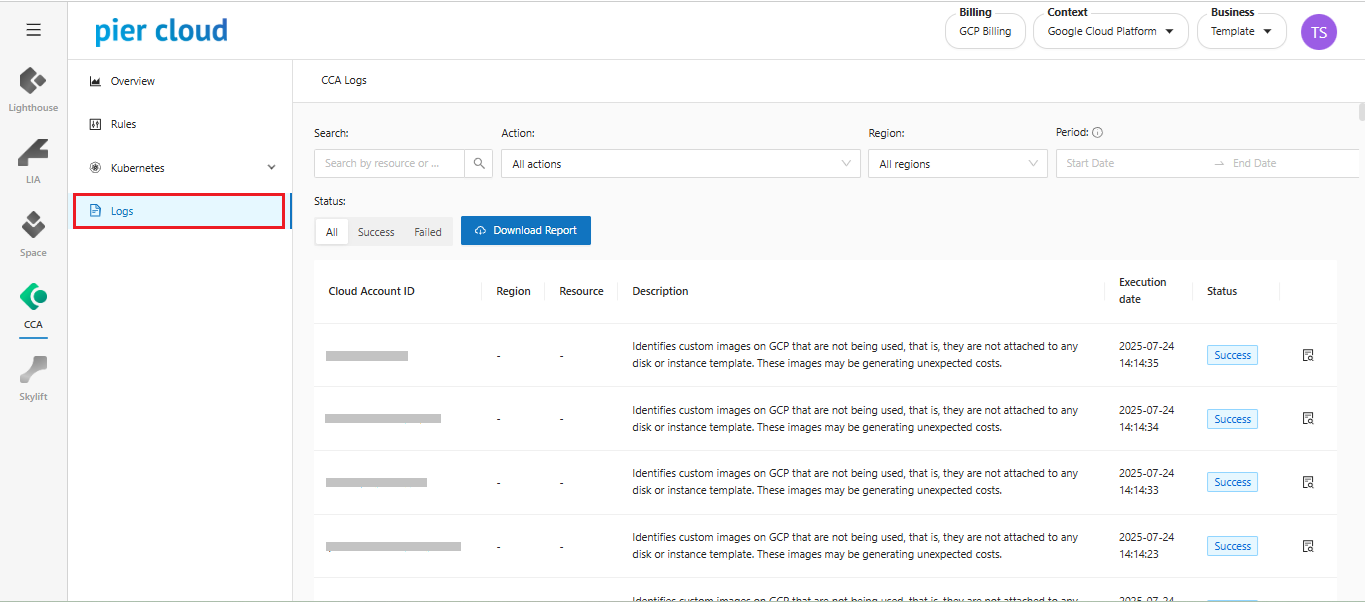
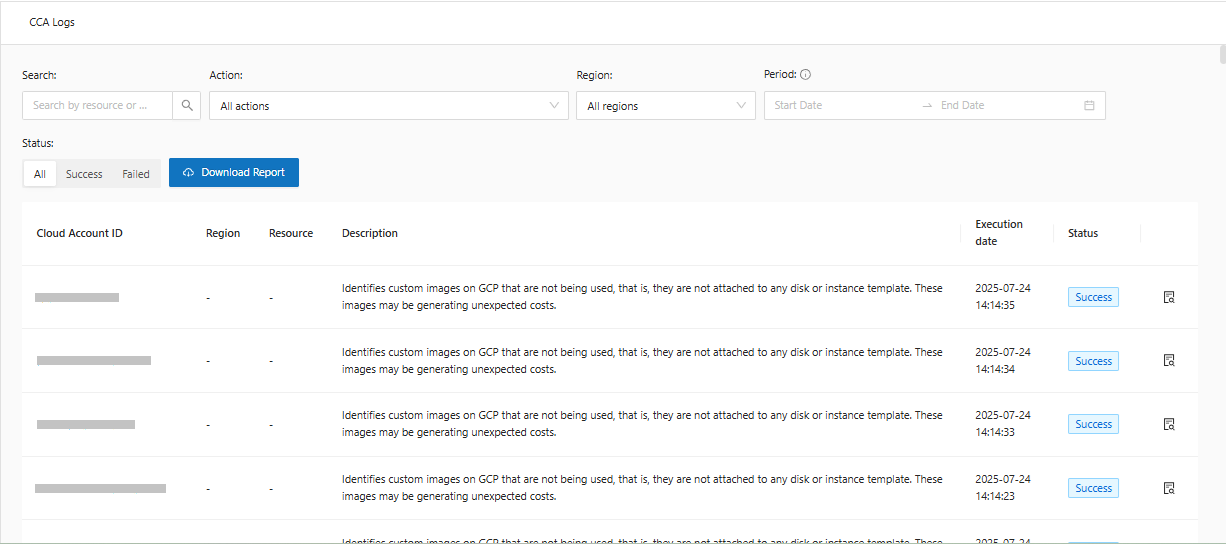
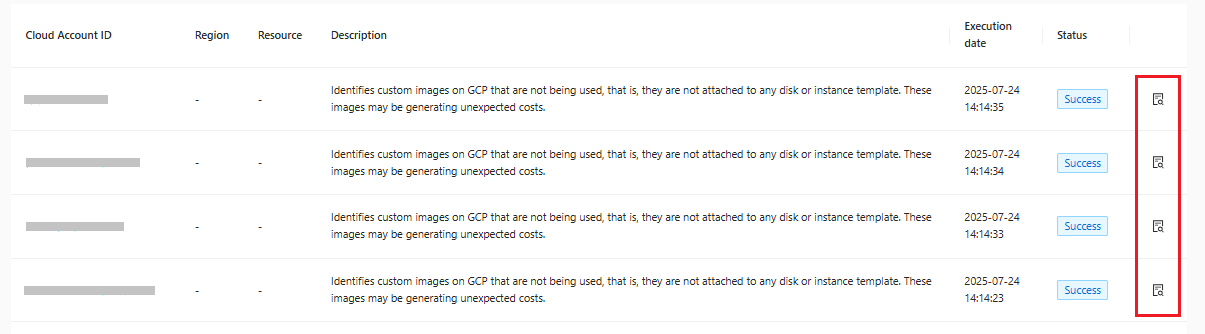
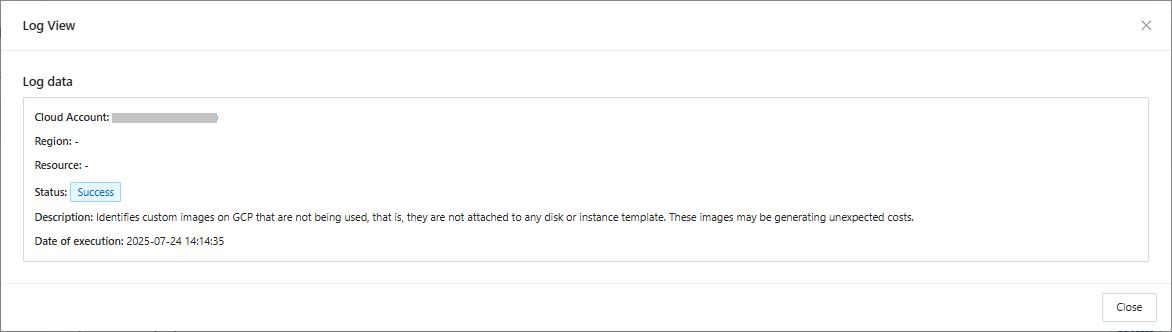
Logs is a CCA feature that allows you to have a complete history of the actions performed within the selected period. In this history, it is possible to view the **Account ID, Region, Resource, Description, Execution Date, Status** and an even more detailed view of the log.

**Accessing Logs:**&#x20;

1. In the CCA side feature menu, select Logs:

<figure><img src="https://1687673077-files.gitbook.io/~/files/v0/b/gitbook-x-prod.appspot.com/o/spaces%2FZ9sinLUl52lDK1vg6b8g%2Fuploads%2Fn5umW6OXhGDZd5xOmRFb%2Fimage.png?alt=media&#x26;token=578eadc5-af8d-4a4b-8341-b797ebe94390" alt=""><figcaption></figcaption></figure>

2. &#x20;Important options in Logs:

<figure><img src="https://1687673077-files.gitbook.io/~/files/v0/b/gitbook-x-prod.appspot.com/o/spaces%2FZ9sinLUl52lDK1vg6b8g%2Fuploads%2FSKDyh8wEDrw0TtXMhlg2%2Fimage.png?alt=media&#x26;token=479f4489-0a63-48a5-b036-6ebf1a8b1ec5" alt=""><figcaption></figcaption></figure>

3. Search for the **account\_ID** you want to see the actions for:

<figure><img src="https://1687673077-files.gitbook.io/~/files/v0/b/gitbook-x-prod.appspot.com/o/spaces%2FZ9sinLUl52lDK1vg6b8g%2Fuploads%2Fzl1Lv8tJKAjY5wTsklWd%2Fimage.png?alt=media&#x26;token=e8d10590-b273-44b4-90a4-731d7c342589" alt=""><figcaption></figcaption></figure>

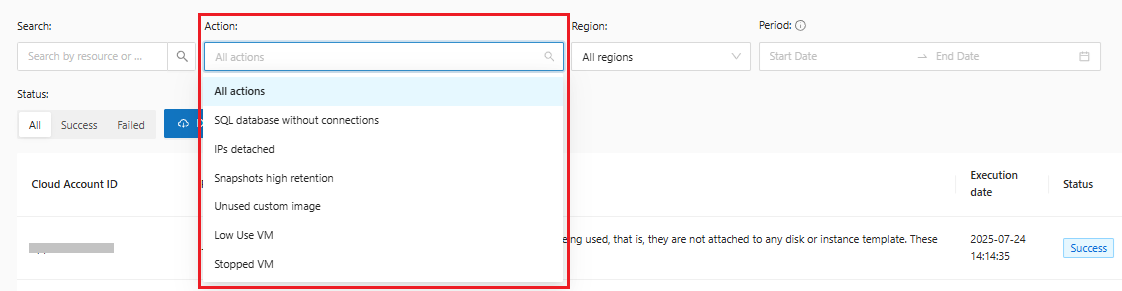
4. &#x20;Filter the **actions** you want to see:

<figure><img src="https://1687673077-files.gitbook.io/~/files/v0/b/gitbook-x-prod.appspot.com/o/spaces%2FZ9sinLUl52lDK1vg6b8g%2Fuploads%2Fmor20Q2ZexN2flVmbWXp%2Fimage.png?alt=media&#x26;token=55f39ba7-b4f6-4d69-aa24-3b88d07bc0ee" alt=""><figcaption></figcaption></figure>

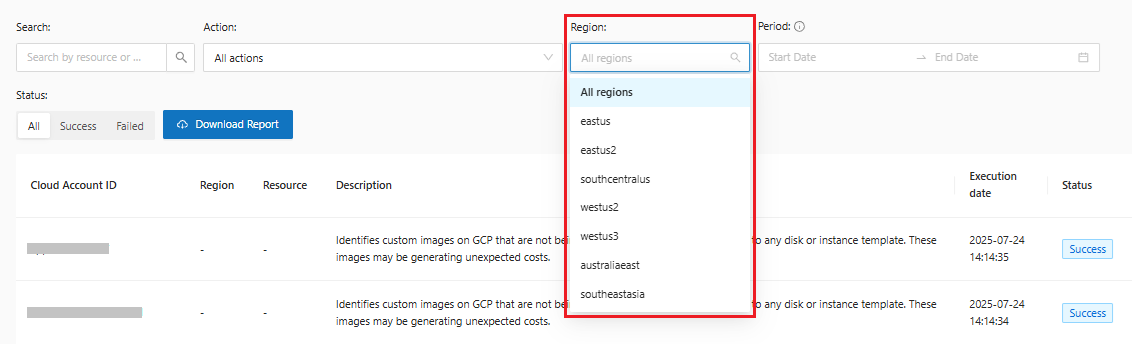
5. &#x20;Select the **region** you want:

<figure><img src="https://1687673077-files.gitbook.io/~/files/v0/b/gitbook-x-prod.appspot.com/o/spaces%2FZ9sinLUl52lDK1vg6b8g%2Fuploads%2FHitbWP8aEfUAJ8AE6zO4%2Fimage.png?alt=media&#x26;token=dfec8a78-a60d-489e-865c-25cc70eee846" alt=""><figcaption></figcaption></figure>

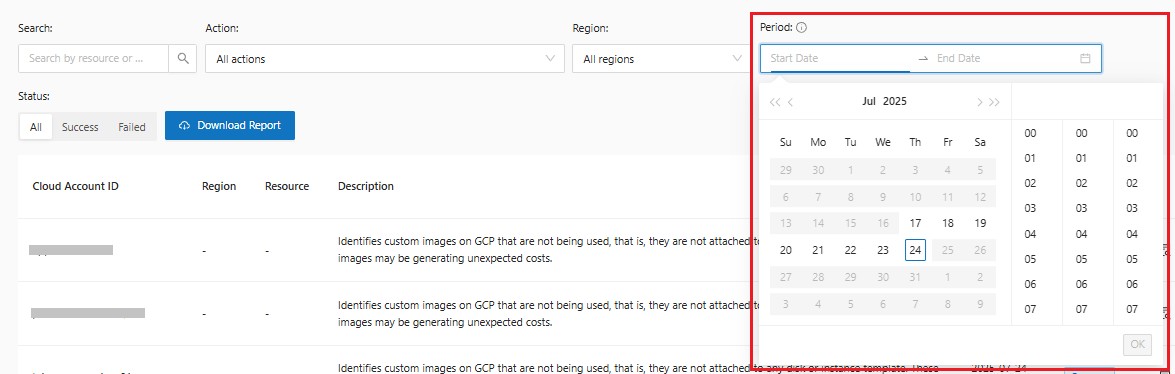
6. &#x20;Filter by a specific **period**, limited to 7 days:

<figure><img src="https://1687673077-files.gitbook.io/~/files/v0/b/gitbook-x-prod.appspot.com/o/spaces%2FZ9sinLUl52lDK1vg6b8g%2Fuploads%2FZExT6QqImX7iJYE5NCUA%2Fimage.png?alt=media&#x26;token=0b2c3385-f2fe-4811-b27e-dd213fee1474" alt=""><figcaption></figcaption></figure>

{% hint style="warning" %}
Logs are available for 7 days.
{% endhint %}

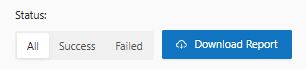
7. Select the action **status** and **Download** the logs:

<figure><img src="https://1687673077-files.gitbook.io/~/files/v0/b/gitbook-x-prod.appspot.com/o/spaces%2FZ9sinLUl52lDK1vg6b8g%2Fuploads%2F3zKhsTAmpcvC1XhEEevI%2Fimage.png?alt=media&#x26;token=07c9a62b-754a-46b2-85cc-3b22a0f6b417" alt=""><figcaption></figcaption></figure>

8. Get a detailed view of the log you want by clicking the "![](https://1687673077-files.gitbook.io/~/files/v0/b/gitbook-x-prod.appspot.com/o/spaces%2FZ9sinLUl52lDK1vg6b8g%2Fuploads%2FRnDkmWzQhTLYZOStJWNp%2Fimage.png?alt=media\&token=c455b8f1-c1b7-4fd7-9d2b-f8bee462e4e7)" button:

<figure><img src="https://1687673077-files.gitbook.io/~/files/v0/b/gitbook-x-prod.appspot.com/o/spaces%2FZ9sinLUl52lDK1vg6b8g%2Fuploads%2FpcHDmNZcVbrJ86zBPmMl%2Fimage.png?alt=media&#x26;token=258619c2-cd3f-4632-ae50-4bba8190a02d" alt=""><figcaption></figcaption></figure>

<figure><img src="https://1687673077-files.gitbook.io/~/files/v0/b/gitbook-x-prod.appspot.com/o/spaces%2FZ9sinLUl52lDK1vg6b8g%2Fuploads%2F18q935YJSxxzpHWrXMCx%2Fimage.png?alt=media&#x26;token=1d5d235c-a2d8-4b8d-9dcb-98ba52409e90" alt=""><figcaption></figcaption></figure>