# Boosts Fields

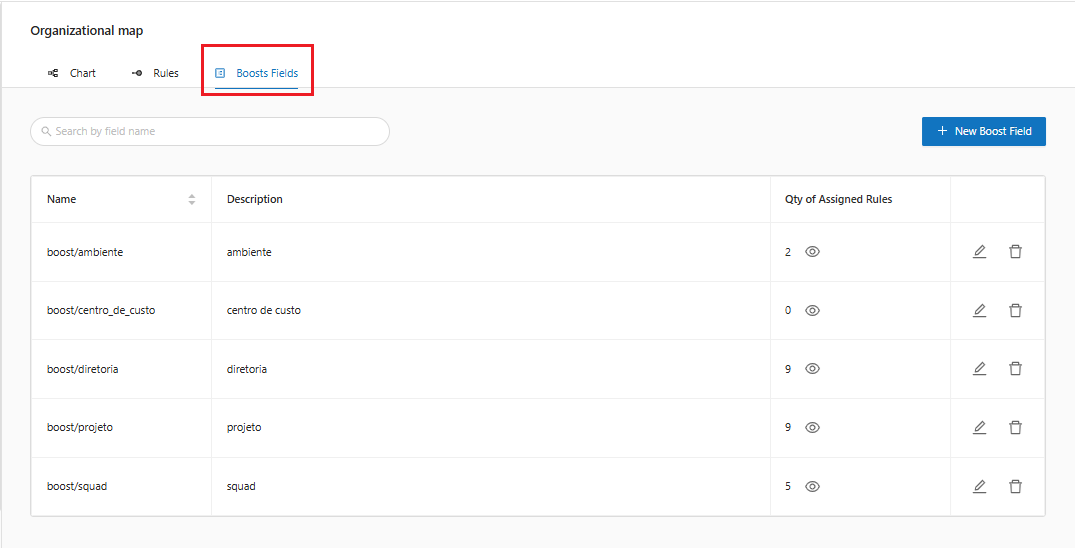
1. By clicking on the "**Boosts Fields**" tab, the system will display the Boost Fields screen containing a filter option:

<figure><img src="https://1687673077-files.gitbook.io/~/files/v0/b/gitbook-x-prod.appspot.com/o/spaces%2FZ9sinLUl52lDK1vg6b8g%2Fuploads%2Fc3swNUIzfJQmfjGSujcI%2Fimage.png?alt=media&#x26;token=1c2f8111-f747-4cf5-b46b-27d506487f3a" alt=""><figcaption></figcaption></figure>

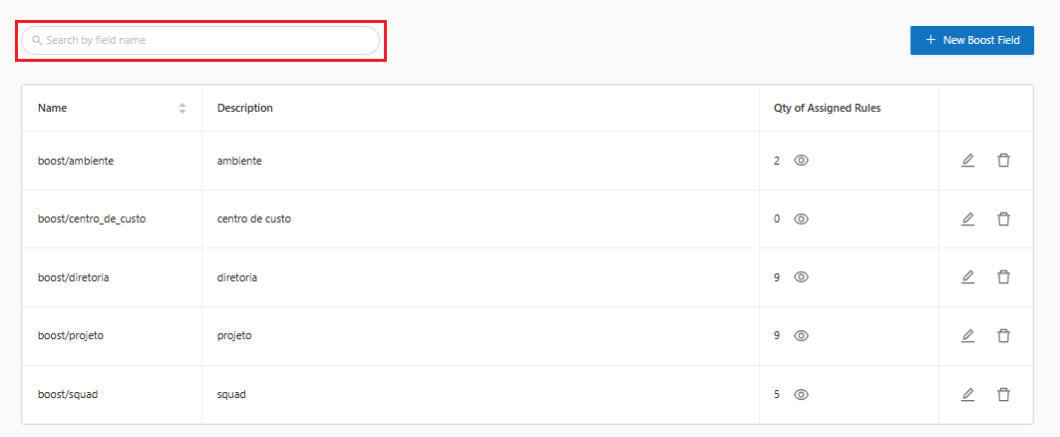
2. The system allows you to filter by **Field Name**, as highlighted below:

<figure><img src="https://1687673077-files.gitbook.io/~/files/v0/b/gitbook-x-prod.appspot.com/o/spaces%2FZ9sinLUl52lDK1vg6b8g%2Fuploads%2FYS8t0rKjCoG2H8s0rPlB%2Fimage.png?alt=media&#x26;token=f1a65647-cc41-4673-8850-9ef73cc5b143" alt=""><figcaption></figcaption></figure>

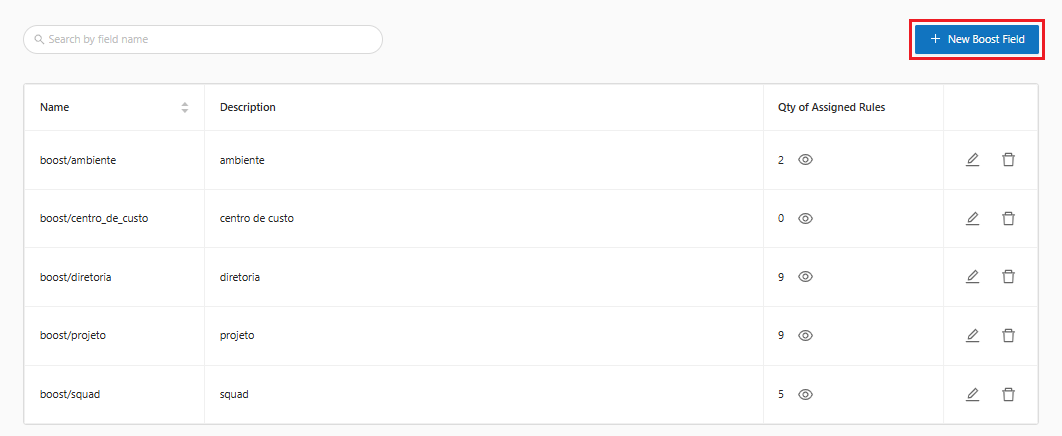
3. In addition to allowing you to add a new Boost field, by clicking on the "**New Boost Field**" option, as highlighted below:

<figure><img src="https://1687673077-files.gitbook.io/~/files/v0/b/gitbook-x-prod.appspot.com/o/spaces%2FZ9sinLUl52lDK1vg6b8g%2Fuploads%2Fh54d30t7cgsXtRbRB4oL%2Fimage.png?alt=media&#x26;token=dad48c3d-2e77-4d83-bed8-fb25d39cf4a5" alt=""><figcaption></figcaption></figure>

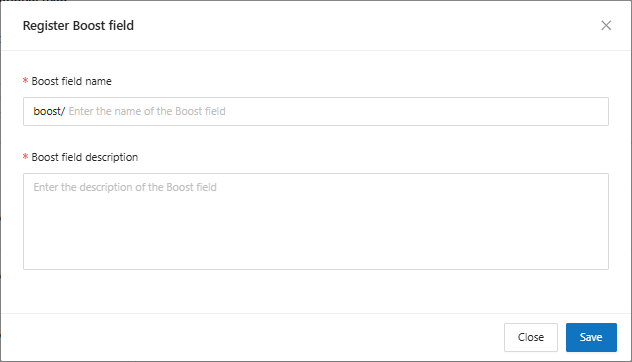
4. The system will display the screen for registering a new boost field, where you will need to provide the following information:

* **Boost Field Name**: Enter the name of the Boost field you want to use.
* **Boost Field Description**: Enter a description of the Boost field.

<figure><img src="https://1687673077-files.gitbook.io/~/files/v0/b/gitbook-x-prod.appspot.com/o/spaces%2FZ9sinLUl52lDK1vg6b8g%2Fuploads%2FEsnu24nh7AvjFN8cfCSQ%2Fimage.png?alt=media&#x26;token=5d814239-7b1e-4176-ae09-057923a20d23" alt=""><figcaption></figcaption></figure>

5. Finally, by clicking on the **save** button, the system will store the boost field and return to the main screen, on the Boost Fields tab, where you can view the registered field.

<figure><img src="https://1687673077-files.gitbook.io/~/files/v0/b/gitbook-x-prod.appspot.com/o/spaces%2FZ9sinLUl52lDK1vg6b8g%2Fuploads%2FaDDnxevsRpBVYKCZv8TF%2Fimage.png?alt=media&#x26;token=44ab7134-a934-4857-b0c0-d3f5a3accf94" alt=""><figcaption></figcaption></figure>

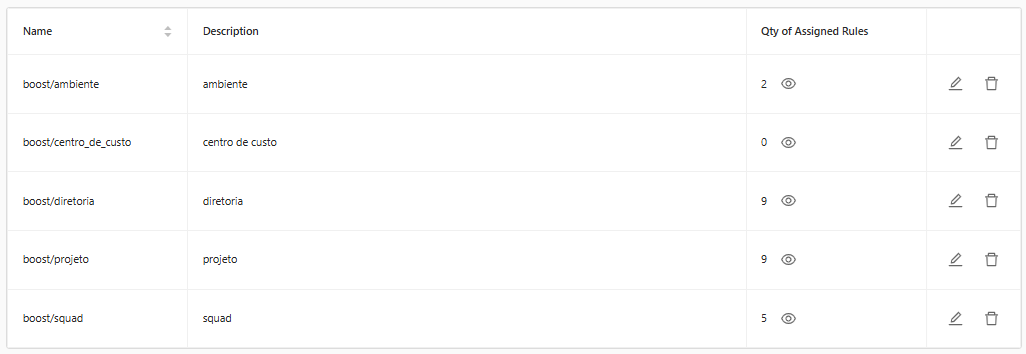
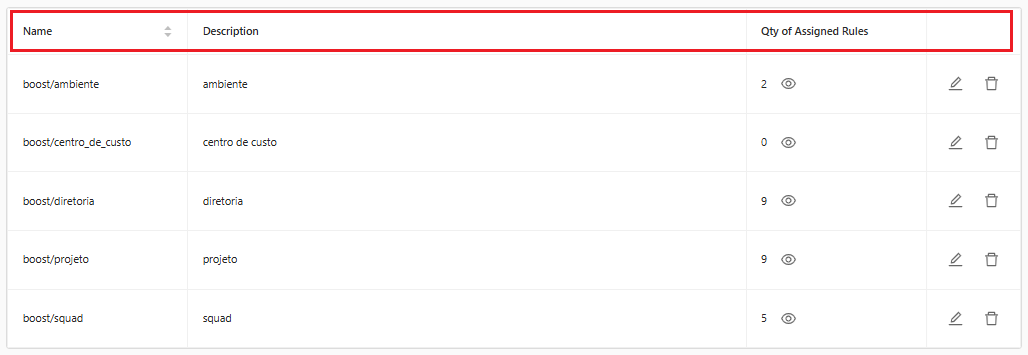
6. In the field list, the system will display some information for each field:
   1. **Name**: Field Name
   2. **Description**: A description corresponding to the field
   3. **Qty of Assigned Rules**: The number of rules assigned to the field. You can view the rules by clicking on the "![](https://1687673077-files.gitbook.io/~/files/v0/b/gitbook-x-prod.appspot.com/o/spaces%2FZ9sinLUl52lDK1vg6b8g%2Fuploads%2FszyzfGJ0cmLtuiQWcCcx%2F%7B0DD454F3-527C-4CF3-B155-148458521490%7D.png?alt=media\&token=1a614328-f19a-4102-8292-39108cc9cb1c)" icon.

<figure><img src="https://1687673077-files.gitbook.io/~/files/v0/b/gitbook-x-prod.appspot.com/o/spaces%2FZ9sinLUl52lDK1vg6b8g%2Fuploads%2FyNwSrbyQPCQoqFt47STQ%2Fimage.png?alt=media&#x26;token=1a64a067-6bba-4083-90f5-bb537a5500fb" alt=""><figcaption></figcaption></figure>

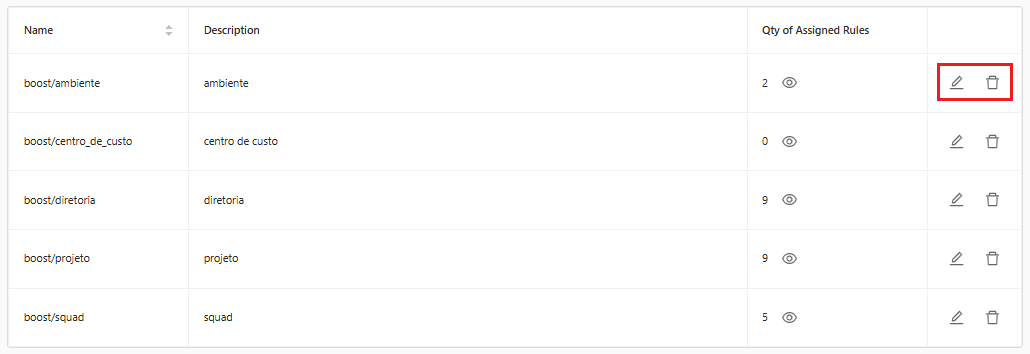
7. The system also allows you to perform some actions:

<figure><img src="https://1687673077-files.gitbook.io/~/files/v0/b/gitbook-x-prod.appspot.com/o/spaces%2FZ9sinLUl52lDK1vg6b8g%2Fuploads%2FFxW4uIa1G25mGeX8jCuU%2Fimage.png?alt=media&#x26;token=714e32d8-8f40-41a2-a3ae-dacd3d15a5ed" alt=""><figcaption></figcaption></figure>

**Edit**: By clicking on the "![](https://1687673077-files.gitbook.io/~/files/v0/b/gitbook-x-prod.appspot.com/o/spaces%2FZ9sinLUl52lDK1vg6b8g%2Fuploads%2Fsmw1rcD99oH2YIbk8Oqy%2F%7B54F41CFF-2380-4278-9D04-226E13817F84%7D.png?alt=media\&token=0aa8b6a0-9db6-4009-8a53-487edffbf360)" icon, the system allows you to edit the **field name** and **description** information.\
**Delete**: By clicking on the "![](https://1687673077-files.gitbook.io/~/files/v0/b/gitbook-x-prod.appspot.com/o/spaces%2FZ9sinLUl52lDK1vg6b8g%2Fuploads%2FeoDqoFCMlcrtC5gpLe8g%2F%7BBD114696-20B2-47C4-8DF4-7224DD56F3EC%7D.png?alt=media\&token=ee831578-a895-400e-9284-797b0cb13dae)" icon, the system will display the confirmation screen, where you will need to click on the checkbox, confirming that you are aware and wish to remove.

<figure><img src="https://1687673077-files.gitbook.io/~/files/v0/b/gitbook-x-prod.appspot.com/o/spaces%2FZ9sinLUl52lDK1vg6b8g%2Fuploads%2FS5YZvG68HhOWbJsqGZCI%2F%7BBF45AE15-A00A-4580-801F-1CA8A4CE0180%7D.png?alt=media&#x26;token=8e37b0c6-7676-480b-94bc-a73fc131129d" alt=""><figcaption></figcaption></figure>

Finally, by clicking the "**Yes, I'm sure**" button, the system will remove the desired boost field.