# Plans

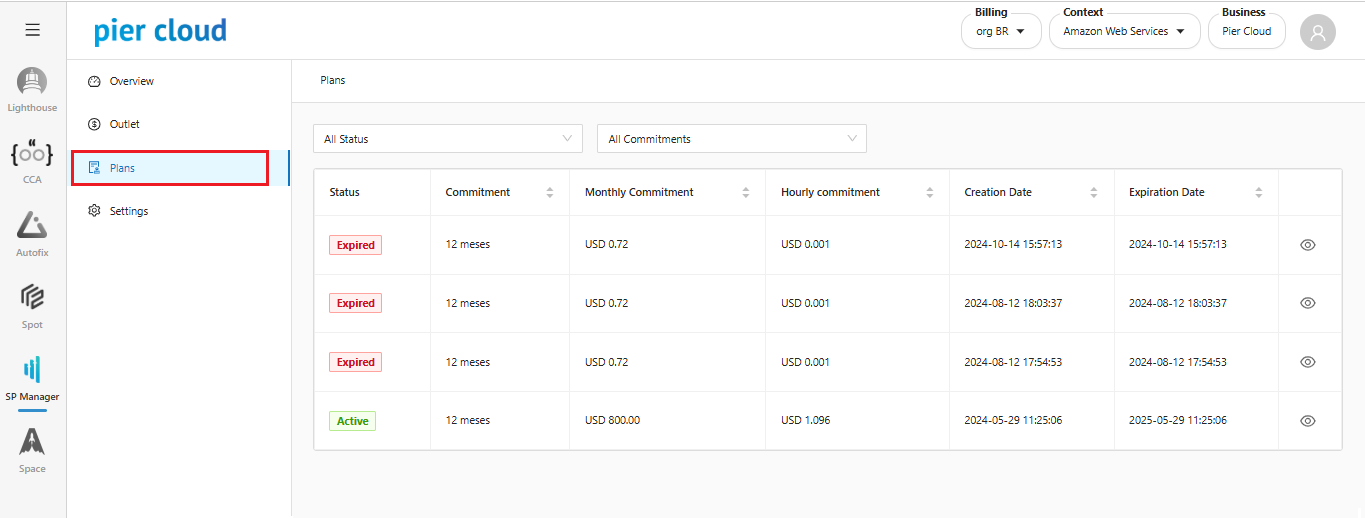
It is now possible to use the SP Manager Module. The system allows to view the purchased plans in the Plans section.

1. **Accessing Plans**.&#x20;

In the SP Manager side feature menu, select **Plans**.

<figure><img src="https://1687673077-files.gitbook.io/~/files/v0/b/gitbook-x-prod.appspot.com/o/spaces%2FZ9sinLUl52lDK1vg6b8g%2Fuploads%2FwlTOxGXHOy3sTKQoHnHU%2Fimage.png?alt=media&#x26;token=6466791e-790d-4387-811f-1e419034a8ed" alt=""><figcaption></figcaption></figure>

**\*In this section of plans, the table is the same as the purchase history, with the exception of the column with the name of the person who purchased.**

2. **Filters**

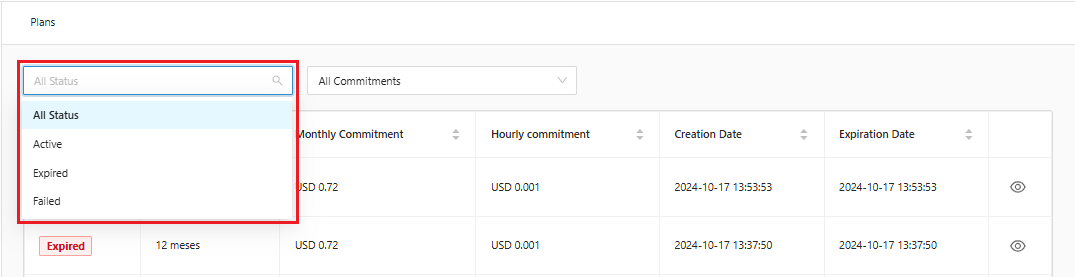
There are two filters, one for **purchase status** to filter by Active, Expired, Failed or all:

<figure><img src="https://1687673077-files.gitbook.io/~/files/v0/b/gitbook-x-prod.appspot.com/o/spaces%2FZ9sinLUl52lDK1vg6b8g%2Fuploads%2Fv0PCqqXYem0ZQ0QyWDi4%2Fimage.png?alt=media&#x26;token=a1308bf2-2b9f-473b-983e-f7d856627bd1" alt=""><figcaption></figcaption></figure>

And another to filter by a **scale of values**, filtering by purchases up to x, or between x and y.

<figure><img src="https://1687673077-files.gitbook.io/~/files/v0/b/gitbook-x-prod.appspot.com/o/spaces%2FZ9sinLUl52lDK1vg6b8g%2Fuploads%2FE0yRB5xFUPWxJG61bAwF%2Fimage.png?alt=media&#x26;token=38d1b2c5-3489-4da4-8602-40a26d33b032" alt=""><figcaption></figcaption></figure>

3. **Plan Details**&#x20;

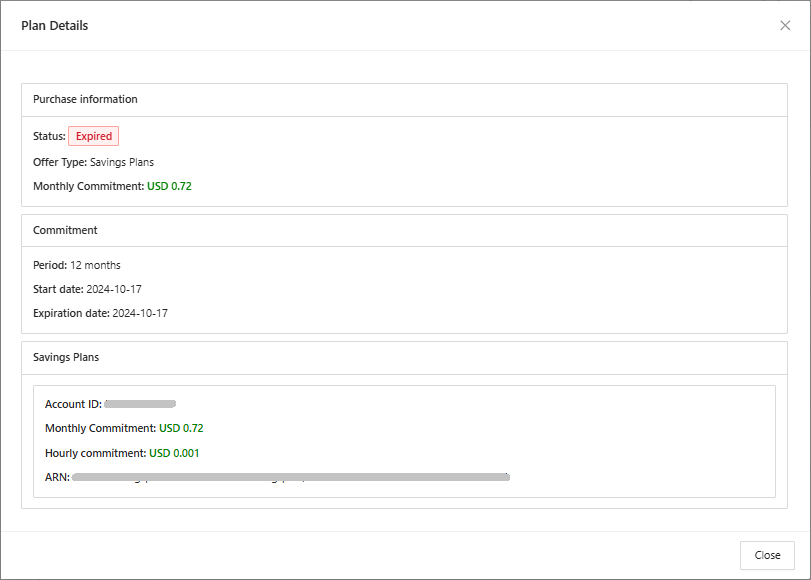
Clicking on the eye “![](https://1687673077-files.gitbook.io/~/files/v0/b/gitbook-x-prod.appspot.com/o/spaces%2FZ9sinLUl52lDK1vg6b8g%2Fuploads%2FHHIyNszx9vVtsWH1IxCB%2Fimage.png?alt=media\&token=d5808b3d-467a-44ac-b4db-9f30cdf7dfb2)” will open the details of the contracted plan, while a summary is displayed in the table.

<figure><img src="https://1687673077-files.gitbook.io/~/files/v0/b/gitbook-x-prod.appspot.com/o/spaces%2FZ9sinLUl52lDK1vg6b8g%2Fuploads%2FWvlbQSXpAuryLf5yLYJd%2Fimage.png?alt=media&#x26;token=417da6db-9967-4c50-9524-3cd3a0dd3d54" alt=""><figcaption></figcaption></figure>

In these details, we will have the information from the table with the addition of the level of detail of which account it is using and what is the ARN of this Savings Plan.
<figure><img src="https://1687673077-files.gitbook.io/~/files/v0/b/gitbook-x-prod.appspot.com/o/spaces%2FZ9sinLUl52lDK1vg6b8g%2Fuploads%2FEBpoo3ew9gkcHq6rOiTv%2Fimage.png?alt=media&#x26;token=4b8640ba-5a97-4921-868f-83d0e70031e6" alt="" width="563"><figcaption></figcaption></figure>